

HP Reverb G2
More actions
| HP Reverb G2 | |
|---|---|

| |
| Basic Info | |
| VR/AR | Virtual Reality |
| Type | Head-mounted display |
| Subtype | PC VR |
| Platform | Windows Mixed Reality, SteamVR |
| Developer | HP Inc., Valve Corporation, Microsoft |
| Manufacturer | HP Inc. |
| Announcement Date | May 28, 2020 |
| Release Date | November 2020 (initial customer deliveries) |
| Price | US$599 (announced U.S. launch price) |
| Website | https://support.hp.com/us-en/product/product-specs/hp-reverb-g2-virtual-reality-headset/33835976 |
| Versions | Original (2020); refreshed headset, cable and facemask (2021) |
| Requires | Compatible PC, DisplayPort 1.3, USB 3.0 and AC power adapter; software requirements depend on runtime |
| Predecessor | HP Reverb G1 |
| System | |
| Operating System | Windows; original WMR software is absent from Windows 11 24H2 and later |
| Display | |
| Display | Dual 2.89-inch LCD panels with pulse backlight |
| Subpixel Layout | Full RGB stripe |
| Resolution | 2160 × 2160 per eye (4320 × 2160 combined) |
| Refresh Rate | 90 Hz specified; 60 Hz option in historical WMR setup guide |
| Image | |
| Field of View | Approximately 114° (HP specification) |
| Optics | |
| Optics | Fresnel-aspherical lenses designed with Valve |
| Ocularity | Binocular |
| IPD Range | 60-68 mm by hardware slider |
| Passthrough | WMR Flashlight camera view |
| Tracking | |
| Tracking | Inside-out, six degrees of freedom |
| Base Stations | Not required for native headset/controller tracking |
| Audio | |
| Audio | Valve-designed off-ear speakers |
| Microphone | Two built-in microphones |
| Camera | Two front-facing and two side-facing tracking cameras |
| Connectivity | |
| Connectivity | DisplayPort 1.3, USB 3.0 Type-C (Type-A adapter included) |
| Wired Video | DisplayPort |
| Bluetooth | Integrated controller connection; controllers pre-paired to headset |
| Power | Separate included AC power adapter |
| Device | |
| Dimensions | 75 × 186 × 84 mm without straps (HP QuickSpecs) |
| Weight | 550 g (HP QuickSpecs) |
| Headstrap | Adjustable top and side straps with rear cradle |
| Haptics | Motion controller vibration |
| Sensors | Tracking cameras, gyroscope, accelerometer and magnetometer |
| Input | HP Motion Controllers |
| Cable Length | 6 m |
The HP Reverb G2 is a PC VR head-mounted display developed by HP Inc. in collaboration with Valve Corporation and Microsoft. HP announced it on May 28, 2020 at a U.S. price of US$599, with initial customer deliveries in November 2020. It combines 2160 × 2160 LCD panels for each eye, Valve-designed lenses and off-ear speakers, and four-camera Windows Mixed Reality (WMR) tracking.[1][2][3]
The headset depends on a PC for rendering and originally accessed SteamVR through Windows Mixed Reality for SteamVR. Its software lifecycle is a material part of compatibility: Microsoft removed desktop WMR in Windows 11 version 24H2 and documents continued Steam use through November 2026 only for users remaining on Windows 11 version 23H2. A separate community driver, Oasis, provides another SteamVR path with its own requirements.[4][5][6]
This article covers the standard Reverb G2 and its hardware refresh. The HP Reverb G2 Omnicept Edition is a separate product with additional physiological sensors.[7]
History and development
HP Reverb G1 and the partnership
The G2 followed the HP Reverb G1. HP retained the earlier headset's panel resolution while changing the optics, audio, fit and controller arrangement. Valve contributed lens and speaker designs; Microsoft's WMR platform provided inside-out tracking and the original Windows software environment. The G2 has two side cameras in addition to its two front cameras. HP described this as twice the controller tracking volume of the preceding design, a manufacturer claim about coverage rather than a measurement of controller precision.[1]
Announcement and launch
U.S. pre-orders opened with the May 28, 2020 announcement, which initially scheduled availability for fall 2020. HP's September 24 update scheduled earlier pre-orders for delivery beginning in early November and later orders from early December. Its November 20 shipping update confirmed that some customers had received headsets while others were still waiting; the company said close to half of pre-orders had left its factory. These milestones distinguish announcement, factory shipment and customer receipt.[1][8][2]
Before shipping, HP reported changes to reduce Fresnel ring reflections, a domed controller menu button and inclusion of a USB-C to USB-A adapter. It also explained that a lower-persistence display setting increased power demand, requiring the supplied adapter to connect to AC power.[8]
Refreshed hardware
On October 21, 2021, HP announced revised tracking hardware, a cable update and a removable facemask spacer. Its October 27 clarification said that the tracking improvement came from changes to the physical camera module and was not backwards compatible with the original headset. Software updates applied to both versions. The refresh initially rolled out in the United States; a February 2, 2022 update listed broader international availability.[9]
| Change | Documented scope |
|---|---|
| Camera module | HP claimed 30% more vertical controller tracking coverage, based on an average user with a 70 cm arm length. This is a vendor coverage claim for refreshed hardware, not a 30% reduction in positional error. |
| Six-meter cable | Revised to address connection issues on some AMD systems. HP also offered the updated cable for original G2 headsets; changing the cable does not install the refreshed camera module. |
| Facemask | A removable spacer provides nominal eye-relief settings of 15 mm with the spacer and 9 mm without it. The original facemask had a fixed 15 mm setting. |
All three changes are described in HP's refresh announcement and subsequent clarifications.[9]
Display technology
LCD panels and resolution
HP's March 2021 QuickSpecs specifies two 2.89-inch LCD panels with pulse backlighting and full RGB stripe subpixels. Each panel has 2160 × 2160 pixels; HP reports 4320 × 2160 for the pair. Multiplying the two panel dimensions gives 9,331,200 addressable pixels across both eyes, approximately 9.3 million in total, rather than per eye.[3]
The panel count and the application's render target are different. SteamVR permits changes to application rendering resolution, and increasing its resolution multiplier increases GPU load. Windows' headset output setting is another part of the pipeline: Microsoft's G2 FAQ documents display scaling problems when the native output resolution or DisplayPort bandwidth is unavailable.[4][10]
Visual quality
HP marketed the panels as "mura-free". This should be read as product wording rather than a guarantee about every unit: in his November 2020 hands-on review, Ben Lang reported faint horizontal mura but little visible screen door effect. He also found Fresnel glare and a narrower view than Valve Index. These are observations of a review unit, not calibrated limits for all headsets.[3][11]
Microsoft's G2-specific fitting advice recommends centering the eyes relative to the lenses and adjusting the mechanical IPD slider. People who need corrective glasses or contacts still need them in the headset. The same FAQ describes minor image ghosting while cold LCDs warm up.[10]
Refresh rate and frame delivery
HP specifies 90 Hz with the recommended PC configuration. Its November 2020 setup guide also documents a 60 Hz setting in WMR's headset display options, so 90 Hz is not the only documented operating mode.[3][12]
Display refresh rate does not establish the application's frame rate or a fixed motion-to-photon latency. For the original SteamVR bridge, Microsoft's documentation describes rotational reprojection and a motion-vector mode that extrapolates frames from applications running at half the display rate. It also lists possible artifacts around high-contrast edges and newly exposed regions.[4]
Optical system
Lens design and field of view
The QuickSpecs identifies the optics as Fresnel-aspherical, and HP credits Valve with the new lens design. The company's specified field of view is approximately 114 degrees. That number is not labeled as a horizontal or vertical angle in the QuickSpecs; assigning it to both dimensions would overstate what the specification establishes.[3][1]
The refreshed facemask's 9 mm and 15 mm spacer settings change eye relief. HP presents the adjustment as a way to position the eyes relative to the optics. These mechanical distances are distinct from the 60-68 mm separation controlled by the IPD slider.[9][3]
Interpupillary distance
The hardware slider changes lens separation around a nominal 64 mm, with a range of ±4 mm. HP's original FAQ places the control on the bottom-left of the headset and describes adjustment for visual clarity. It also states that most eyeglasses fit inside the original face padding; this does not establish compatibility with every frame.[3][13]
Audio system
Off-ear speakers and microphones
The Valve-designed speakers sit approximately 10 mm away from the ears rather than pressing against them. HP's launch announcement describes support for spatial audio. The quick setup sheet identifies two built-in microphones.[1][14]
Lang's original review reports that the G2 uses the same speaker drivers as Index, but also describes distortion at some higher frequencies in the review unit.[15]
The historical WMR setup guide includes an option to mirror headset audio to desktop speakers. Microsoft's G2 FAQ separately documents microphone clipping in some applications and suggests beginning with a 50% input level, then adjusting for the user and application's gain behavior.[12][10]
Audio firmware
HP issued Audio FW Update version 15 revision A, SoftPaq SP113237, effective April 13, 2021. Its release descriptor says the update resolves a potential problem in which displays flicker or go black in some titles at high audio volume. The package was documented for 64-bit Windows 10. This audio firmware fix is separate from the later physical camera-module refresh.[16][9]
Tracking system
Cameras and inertial sensors
The G2 provides six degrees of freedom of head tracking using two front-facing and two side-facing cameras. HP lists a gyroscope, accelerometer and magnetometer among its sensors. The native system needs no installed base stations.[3][1]
WMR's inside-out tracking combines visual environmental features with inertial measurements to estimate headset pose. Microsoft's general explanation describes the original two-camera WMR arrangement; the G2-specific four-camera count comes from HP's specification. Microsoft recommends sufficient, relatively even lighting and distinguishable visual features, and documents failures in dark, featureless or strongly sunlit environments.[17]
Controller coverage and limitations
The motion controllers combine active LEDs and an inertial measurement unit (IMU). The headset cameras observe the controller rings, while the controllers send input over Bluetooth. Camera visibility, radio connectivity and battery state are separate factors: Microsoft's troubleshooting guide notes that low batteries dim the LEDs and disable haptics, while poor Bluetooth connectivity and unsuitable lighting can also interrupt tracking.[3][18]
In testing the original G2, Lang reported tracking gaps with hands low beside the body, above the headset or held close to the face. He also observed controller jitter. Those results concern the original 2020 headset, not an independent evaluation of HP's October 2021 refresh.[15]
Original measurement research
Vitor Macedo and Christoph Runde's June 4, 2021 VDC workshop report tested controller coverage with a fixed headset on a printed head model and an xArm5 Lite robot moving the controller through opposing semicircles in three planes. Positions were recorded through a SteamVR/OpenVR application. The following G2 results belong to that apparatus and the original headset, before the October hardware refresh.[19]
| Test plane | Lowest programmed speed in the report | G2 total tracked angle |
|---|---|---|
| Plane 1: lower horizontal sweep | 10 mm/s | 293° |
| Plane 2: upper horizontal sweep | 10 mm/s | 275° |
| Plane 3: vertical sweep beside the headset | 100 mm/° (report's stated robot setting) | 100° |
The totals add the clockwise and counterclockwise directions. They measure controller coverage along the robot's path, not the headset's optical field of view. The authors visually aligned the vertical setup, and the paths differed between planes and controller adapters. Faster movement often extended the reported coverage, so the authors used the lowest speed settings for the comparison; they did not include a quantitative accuracy criterion in the coverage calculation. These limits prevent the angles from becoming a universal tracking-volume or positional-accuracy specification.[19]
Camera view
The G2's tracking cameras also support WMR's Flashlight passthrough feature, which provides a view of the surroundings through the cameras. HP's original FAQ describes activation through the Windows controller menu or the "flashlight" voice command. Its refresh announcement documents a blocked-out portion of the Flashlight window on refreshed devices and scheduled Windows fixes in October and November 2021.[13][9]
Controllers
HP Motion Controllers
The G2 kit includes a left and right HP Motion Controller, pre-paired to the headset. HP specifies two AA batteries per controller and lists active LEDs, an IMU and Bluetooth connectivity. It also offered a headset configuration without controllers.[3]
| Input | Arrangement |
|---|---|
| Thumbstick | One on each controller |
| Face buttons | A and B on the right; X and Y on the left |
| Grip and index trigger | Analog inputs on each controller |
| System controls | Windows button, menu button and pairing button |
| Feedback | Vibration and tracking/status LEDs |
| Battery power | Two AA cells per controller |
The hardware inputs are documented in HP QuickSpecs. Microsoft's developer guide explicitly states that the older WMR touchpad was replaced by the two face buttons and that the grasp input became an analog trigger returning values between 0 and 1.[3][20][18]
The controllers do not have the capacitive finger-contact sensing found in Oculus Touch or Index controllers, as noted in the original hands-on review. Tracked controllers and their button states are distinct from optical tracking of bare fingers.[15]
Pairing, batteries and software bindings
The original HP Reverb G2 VR Headset Setup companion app handled pairing directly to the HMD. Its built-in Bluetooth connection means that the stock pairing arrangement does not require a separate PC Bluetooth adapter. Microsoft's controller FAQ distinguishes headset pairing from the PC Bluetooth arrangement used by some older WMR headsets.[12][18]
Microsoft's battery guidance says the reported controller level is tuned for 1.5 V AA cells; lower-voltage rechargeable cells may show a low level even when charged. This concerns voltage reporting and LED/haptic behavior, not a fixed battery-life rating.[18]
SteamVR games may need controller bindings that account for the G2's different input layout. Microsoft's G2 FAQ documents automatic custom profiles with WMR for SteamVR version 1.2.444 and the option to select or create per-game bindings. It also notes that games embedding their own controller models need updates within the game itself.[10]
Alternative controllers
HP's historical FAQ describes combining the G2 with Valve Knuckles controllers, Vive controllers or Vive trackers through third-party software and external base stations. This does not replace the G2 headset's native camera tracking. Separately, Oasis's current FAQ reports that its developer tested Index controllers with Open Space Calibrator and observed occasional calibrator crashes.[13][21]
Physical design
Strap, facemask and dimensions
The headset uses a rear cradle and adjustable top and side straps. Its facemask attaches magnetically and can be replaced; the 2021 refresh adds the removable eye-relief spacer described above. HP's QuickSpecs lists a mass of 550 g and dimensions of 75 × 186 × 84 mm without straps.[3][9][22]
Cable and power
The six-meter tether carries DisplayPort video and USB data to the PC. The included adapters accommodate mini-DisplayPort and USB Type-A connections, while the separate power supply connects to the cable's power box. The headset-side connector is identified as OCuLink in the quick setup guide.[3][14]
HP recommends connecting the tether to the headset before connecting it to the PC or power supply, then leaving the headset-side connection in place after installation. Its published cable sheet and G2 FAQ also identify disconnection of the power adapter as the way to remove headset power while the PC remains on.[23][10]
Connectivity
Historical PC requirements
The original WMR requirements should be read together with the later operating-system removal. Microsoft's high-resolution headset guidance names the G2 and lists the following configuration for a 90 Hz, full-resolution experience.[24]
| Component | Published high-resolution WMR guidance |
|---|---|
| CPU | Intel Core i5/i7 or Xeon E3-1240 v5, AMD Ryzen 5, or equivalent/better |
| Memory | At least 8 GB RAM |
| Graphics | NVIDIA GeForce GTX 1080, AMD Radeon RX 5700, or equivalent/better |
| Video output | DisplayPort 1.3 |
| USB and power | USB 3.0 Type-C; G2's included power adapter is required by HP's shipping design |
| WMR operating-system range in the archived guidance | Windows 10 version 20H2 through Windows 11 version 23H2; Windows 11 24H2 and later are unsupported for WMR |
These are platform guidelines, not a guarantee that a particular game maintains 90 rendered frames per second. HP separately lists example GPUs that typically operate at full or half resolution; application complexity and rendering settings remain relevant.[24][8][25]
DisplayPort and USB compatibility
HP's original FAQ says HDMI adapters do not provide the required G2 connection, while a laptop USB-C to DisplayPort adapter must support DisplayPort 1.3. Microsoft's G2 FAQ additionally identifies four-lane DisplayPort/HBR3 bandwidth and hybrid graphics arrangements as relevant to native-resolution output.[13][10]
The USB connection is also device-specific. Microsoft's G2 FAQ explains that error 7-14 can mean required USB 2 components were not detected, despite the headset being connected through USB 3.0. It suggests checking the USB driver, trying another Type-C or Type-A port with the included adapter, or using a USB hub. The revised cable addressed some AMD connection problems; it did not change the panel resolution.[10][9]
Software platform
The original WMR environment handled headset setup, room boundaries and controller input. It could present desktop applications in a virtual home. SteamVR access used the WMR for SteamVR bridge, while native OpenXR applications could use Microsoft's WMR runtime. Microsoft's OpenXR documentation identifies a specific HP controller interaction-profile extension, XR_EXT_hp_mixed_reality_controller.[4][26][27]
OpenXR support in a runtime does not mean that every WMR device has all of that runtime's sensor features. Microsoft's feature table explicitly limits its articulated hand and eye-gaze extensions to HoloLens 2; HP's separate Omnicept announcement describes the added eye, face and heart-rate sensors of that model.[27][7]
Platform removal and community driver
Microsoft's current removed-features list states that WMR was removed from Windows 11 version 24H2. The removal includes Mixed Reality Portal and the WMR SteamVR components. Its documented continued Steam use through November 2026 depends on remaining on Windows 11 version 23H2. After November 2026, Microsoft says WMR will receive no security or nonsecurity updates, bug fixes, technical support or updates to online technical content.[5]
Oasis is a separate SteamVR driver maintained by Matthieu Bucchianeri. Its documentation describes headset/controller tracking and OpenVR/OpenXR operation without Mixed Reality Portal. Its documentation, checked on October 13, 2026, covers Windows 11 24H2 and later and Linux configurations, including the developer's own Ubuntu 24.04/X11/AMD test with a G2. The Windows compatibility table and FAQ restrict operating systems, GPU families and drivers. The documented Windows AMD configuration has no 60 Hz mode, and the Windows table does not support Intel GPUs. The original WMR Cliff House and Windows menu are not provided by Oasis.[6][21]
This is a distinct community software path, not restoration of Microsoft's retired platform or an extension of its support commitment. The Oasis FAQ says the software is not open source and limits developer support for older Windows versions and variable Linux configurations.[21][5]
Target audience and applications
HP introduced the G2 for gaming, creation, collaboration and learning. Its original setup and FAQ documents list engineering/design reviews, architecture and construction reviews, location-based entertainment and maintenance training as intended applications.[1][12][13]
Flight simulation was part of HP's prelaunch presentation, which specifically named upcoming Microsoft Flight Simulator VR support. The Oasis developer's FAQ now names Microsoft Flight Simulator, DCS and X-Plane as examples of OpenXR/OpenVR applications available outside the Steam storefront. Those are descriptions of software paths, not evidence that all versions, settings and peripherals are compatible with every G2 configuration.[8][21]
For design visualization, Autodesk's VRED 2026 documentation explicitly supports the G2 through OpenXR and OpenVR/SteamVR and describes activating an HMD view after loading a scene. Its application support does not remove the headset runtime's operating-system requirements.[28][5]
Comparison with contemporary headsets
The following comparison covers hardware attributes of the G2, Valve Index and Meta Quest 2. Refresh modes and software support differ by runtime and application. It is not a current price or availability comparison.[3][29][30]
| Feature | HP Reverb G2 | Valve Index | Meta Quest 2 |
|---|---|---|---|
| Panel resolution per eye | 2160 × 2160 | 1440 × 1600 | 1832 × 1920 |
| Documented display rates | 90 Hz specified; 60 Hz in historical WMR setup guide | 80, 90, 120, 144 Hz (144 Hz described as experimental) | 60, 72, 80, 90, 120 Hz in Meta's specification |
| Native tracking arrangement | Headset cameras and internal sensors; no base stations | SteamVR Tracking sensors with external base stations | Six degrees of freedom without external sensors |
| Built-in audio | Off-ear speakers | Off-ear BMR speakers | Integrated positional audio |
| Compute arrangement | PC-rendered, tethered | PC-rendered, tethered | Standalone; optional PC connection |
The G2's 60 Hz option is documented in its original setup guide. Panel pixel counts alone do not specify optical field of view or measured angular resolution.[12][29][30]
Technical specifications summary
| Specification | Documented value or scope |
|---|---|
| Panels | Two 2.89-inch LCDs, RGB stripe, pulse backlight |
| Pixel count | 2160 × 2160 per eye; 4320 × 2160 combined |
| Field of view | Approximately 114°, as specified by HP; not a separately measured horizontal/vertical pair |
| Lens separation | 64 mm ±4 mm by hardware slider |
| Headset tracking | Inside-out, six degrees of freedom; two front and two side cameras, gyroscope, accelerometer and magnetometer |
| Controllers | Active LEDs, IMU, Bluetooth; two AA batteries per controller |
| PC connections | DisplayPort 1.3 and USB 3.0 Type-C; adapters for mini-DisplayPort and USB Type-A included |
| Power | Included separate power adapter |
| Tether | 6 m |
| Dimensions and weight | 75 × 186 × 84 mm without straps; 550 g in HP QuickSpecs |
| Audio input | Two microphones |
Hardware figures above follow HP's QuickSpecs and quick setup documentation. They describe the standard G2, not Omnicept sensor additions; the later camera/cable/facemask changes are documented separately.[3][14][9]
See also
- HP Reverb G2 Omnicept Edition
- Windows Mixed Reality
- OpenXR
- Valve Index Controllers
- Positional tracking
Gallery
-
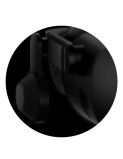 HP Reverb G2 speaker detail.

References
- ↑ 1.0 1.1 1.2 1.3 1.4 1.5 1.6 "HP, Valve, and Microsoft Removing Distance Barriers with Next-Gen Virtual Reality Headset". HP Newsroom. 2020-05-28. https://www.hp.com/us-en/newsroom/press-releases/2020/hp-valve-microsoft-next-gen-virtual-reality-headset.html. Retrieved 2026-10-13.
- ↑ 2.0 2.1 John Ludwig and Joanna Popper (2020-11-20). "HP Reverb G2 Virtual Reality Headset – Shipping Update". HP Newsroom. https://www.hp.com/us-en/newsroom/blogs/2020/hp-reverb-g2-vr-shipping-update.html. Retrieved 2026-10-13.
- ↑ 3.00 3.01 3.02 3.03 3.04 3.05 3.06 3.07 3.08 3.09 3.10 3.11 3.12 3.13 3.14 "HP Reverb G2 Virtual Reality Headset" (PDF). HP QuickSpecs. 5. 2021-03-26. c06630565. https://media.distrelec.com/Web/Downloads/_t/ds/HP_REVERB%20G2_eng_tds.pdf. Retrieved 2026-10-13.
- ↑ 4.0 4.1 4.2 4.3 "Using SteamVR with Windows Mixed Reality". Microsoft Learn. https://learn.microsoft.com/en-us/previous-versions/mixed-reality/enthusiast-guide/using-steamvr-with-windows-mixed-reality. Retrieved 2026-10-13.
- ↑ 5.0 5.1 5.2 5.3 "Features and functionality removed in Windows client". Microsoft Learn. https://learn.microsoft.com/en-us/windows/whats-new/removed-features. Retrieved 2026-10-13.
- ↑ 6.0 6.1 Matthieu Bucchianeri. "Home". Oasis Driver for Windows Mixed Reality documentation. https://github.com/mbucchia/Oasis-Driver-for-Windows-Mixed-Reality/wiki. Retrieved 2026-10-13.
- ↑ 7.0 7.1 "HP Introduces New Era of Virtual Reality for Developers and Enterprises". HP Newsroom. 2020-09-30. https://www.hp.com/us-en/newsroom/press-releases/2020/new-era-vr-developers-enterprises.html. Retrieved 2026-10-13.
- ↑ 8.0 8.1 8.2 8.3 John Ludwig and Joanna Popper (2020-09-24). "Latest Update on the HP Reverb G2 Virtual Reality Headset". HP Newsroom. https://www.hp.com/us-en/newsroom/blogs/2020/hp-reverb-g2-vr-update.html. Retrieved 2026-10-13.
- ↑ 9.0 9.1 9.2 9.3 9.4 9.5 9.6 9.7 Alex Klug (2021-10-21). "Award Winning HP Reverb G2 VR Headset Just Got Better". HP Newsroom. https://www.hp.com/us-en/newsroom/blogs/2021/award-winning-hp-reverb-g2-vr-better.html. Retrieved 2026-10-13.
- ↑ 10.0 10.1 10.2 10.3 10.4 10.5 10.6 "HP Reverb G2 Frequently Asked Questions". Microsoft Learn. https://learn.microsoft.com/en-us/previous-versions/mixed-reality/enthusiast-guide/reverbg2-faq. Retrieved 2026-10-13.
- ↑ Ben Lang (2020-11-18). "HP Reverb G2 Review – Screen Door No More". Road to VR. https://roadtovr.com/hp-reverb-g2-review/. Retrieved 2026-10-13.
- ↑ 12.0 12.1 12.2 12.3 12.4 "How to Guide: HP Reverb G2 Virtual Reality Headset Set-Up" (PDF). HP. 2020-11. 4AA7-5420ENW. https://vrtech.wiki/wp-content/uploads/2021/01/HP-Reverb-G2-VR-Setup-Manual-Optimized.pdf. Retrieved 2026-10-13.
- ↑ 13.0 13.1 13.2 13.3 13.4 "FAQ: HP Reverb G2 VR Headset, SteamVR & Windows Mixed Reality" (PDF). HP. 2020-11. 4AA7-5433ENW. https://vrtech.wiki/wp-content/uploads/2021/01/VR-FAQ-H-Reverb-G-SteamVR-Windows-MR-Optimized.pdf. Retrieved 2026-10-13.
- ↑ 14.0 14.1 14.2 "Quick Setup Guide" (PDF). HP. c06969628. https://h10032.www1.hp.com/ctg/Manual/c06969628.hires.pdf. Retrieved 2026-10-13.
- ↑ 15.0 15.1 15.2 Ben Lang (2020-11-18). "HP Reverb G2 Review – Screen Door No More". Road to VR. https://roadtovr.com/hp-reverb-g2-review/2/. Retrieved 2026-10-13.
- ↑ "HP Reverb G2 Audio FW Update". HP. 15 revision A. 2021-04-13. SP113237. https://ftp.hp.com/pub/softpaq/sp113001-113500/sp113237.html. Retrieved 2026-10-13.
- ↑ "Inside-out tracking". Microsoft Learn. https://learn.microsoft.com/en-us/previous-versions/mixed-reality/enthusiast-guide/tracking-system. Retrieved 2026-10-13.
- ↑ 18.0 18.1 18.2 18.3 "Motion controller FAQs". Microsoft Learn. https://learn.microsoft.com/en-us/previous-versions/mixed-reality/enthusiast-guide/motion-controller-problems. Retrieved 2026-10-13.
- ↑ 19.0 19.1 Vitor Macedo and Christoph Runde (2021-06-04). "Applikationszentrum VAR - Bericht #11 (Revision 2) - Werkstattbericht #06: Head-Mounted Displays: Messung der Trackingreichweite bei VR-Trackingsystemen". Virtual Dimension Center Fellbach. doi:10.6084/m9.figshare.14784861. https://doi.org/10.6084/m9.figshare.14784861. Retrieved 2026-10-13.
- ↑ "HP Reverb G2 Controllers in Unity". Microsoft Learn. https://learn.microsoft.com/en-us/windows/mixed-reality/develop/unity/unity-reverb-g2-controllers. Retrieved 2026-10-13.
- ↑ 21.0 21.1 21.2 21.3 Matthieu Bucchianeri. "Frequently Asked Questions". Oasis Driver for Windows Mixed Reality documentation. https://github.com/mbucchia/Oasis-Driver-for-Windows-Mixed-Reality/wiki/Frequently-Asked-Questions. Retrieved 2026-10-13.
- ↑ Ben Lang (2020-11-18). "HP Reverb G2 Review – Screen Door No More". Road to VR. https://roadtovr.com/hp-reverb-g2-review/3/. Retrieved 2026-10-13.
- ↑ "Connecting the HP Virtual Reality Headset cables" (PDF). HP. https://h10032.www1.hp.com/ctg/Manual/c07018962.hires.pdf. Retrieved 2026-10-13.
- ↑ 24.0 24.1 "Minimum PC hardware guidelines". Microsoft Learn. https://learn.microsoft.com/en-us/previous-versions/mixed-reality/enthusiast-guide/windows-mixed-reality-minimum-pc-hardware-compatibility-guidelines. Retrieved 2026-10-13.
- ↑ "HP Reverb G2 Virtual Reality Headset - Specifications & Accessories". HP Support. https://support.hp.com/us-en/product/product-specs/hp-reverb-g2-virtual-reality-headset/33835976. Retrieved 2026-10-13.
- ↑ "Your Mixed Reality home". Microsoft Learn. https://learn.microsoft.com/en-us/previous-versions/mixed-reality/enthusiast-guide/your-mixed-reality-home. Retrieved 2026-10-13.
- ↑ 27.0 27.1 "OpenXR". Microsoft Learn. https://learn.microsoft.com/en-us/windows/mixed-reality/develop/native/openxr. Retrieved 2026-10-13.
- ↑ "HP Reverb G2". Autodesk VRED 2026 documentation. https://help.autodesk.com/cloudhelp/2026/ENU/VRED-Workflows/files/Collaboration-VR/VR-VR-Setup/Using-Controllers/VRED_VR_and_VR_Setup_Using_the_HP_Reverb_G2.html. Retrieved 2026-10-13.
- ↑ 29.0 29.1 "Headset". Valve Index. Valve Corporation. https://www.valvesoftware.com/en/index/headset. Retrieved 2026-10-13.
- ↑ 30.0 30.1 "Meta Quest 2: Our most advanced new all-in-one VR headset". Meta Store. https://www.meta.com/quest/products/quest-2/tech-specs/. Retrieved 2026-10-13.