

RealWear HMT-1
More actions
| RealWear HMT-1 | |
|---|---|

| |
| Basic Info | |
| VR/AR | Augmented Reality |
| Type | Smart Glasses |
| Subtype | Enterprise AR |
| Platform | Android |
| Creator | RealWear |
| Developer | RealWear |
| Manufacturer | RealWear |
| Announcement Date | Publicly documented in January/February 2017[1] |
| Release Date | 2017 (initial Pioneer beta units)[2] |
| Price | US$2,000 (reported retail price, August 2018)[3] |
| Website | https://www.realwear.com/ |
| Versions | HMT-1 T1100G; HMT-1 T1200G[4][5] |
| Requires | Rechargeable battery; network connectivity for online services[6] |
| Successor | RealWear Navigator 500[7] |
| System | |
| Operating System | Android 6.0.1 in the 2018 datasheet; Android 8.1 with Release 11; Android 10.0 with Release 12 and above[8][9][5] |
| Chipset | Qualcomm Snapdragon 625 (T1100G); Qualcomm Snapdragon 626 (T1200G)[4][5] |
| CPU | 2.0 GHz, 8-core (both model specifications)[4][5] |
| GPU | Adreno 506; OpenGL ES 3.1 and OpenCL 2.0[4][5] |
| Storage | |
| Storage | 16 GB (T1100G); 32 GB (T1200G)[4][5] |
| Memory | 2 GB RAM (T1100G); 3 GB RAM (T1200G)[4][5] |
| SD Card Slot | microSD, maximum supported card 256 GB[5] |
| Display | |
| Display | 0.33-inch diagonal, 24-bit color LCD[5] |
| Resolution | WVGA (854×480)[5] |
| Image | |
| Field of View | 20° (manufacturer specification; axis unspecified)[5] |
| Optics | |
| Optics | 1-meter fixed focus[5] |
| Ocularity | Monocular; left or right eye configuration[10] |
| Tracking | |
| Tracking | Head movement for interface scrolling and cursor control[11][12] |
| Audio | |
| Audio | Internal 91 dB loudspeaker (manufacturer specification)[5] |
| Microphone | 4 digital microphones with active noise cancellation[5] |
| 3.5mm Audio Jack | Yes[5] |
| Camera | 16 MP; 4-axis optical image stabilization; PDAF; LED flashlight; video up to 1080p @30fps[5] |
| Connectivity | |
| Connectivity | Wi-Fi 802.11 a/b/g/n/ac (2.4GHz and 5GHz), Bluetooth Low Energy 4.1; GPS, GLONASS and A-GPS[5] |
| Ports | 3.5mm audio and USB Type-C; T1100G additionally lists micro-USB[4][5] |
| WiFi | 802.11 a/b/g/n/ac (2.4GHz and 5GHz; regional restrictions apply)[5][13] |
| Bluetooth | Bluetooth Low Energy 4.1[5] |
| Power | Rechargeable, field-swappable Li-Ion battery[5] |
| Battery Capacity | 3250 mAh[5] |
| Battery Life | 9-10 hours with typical use (manufacturer estimate)[5] |
| Device | |
| Weight | 380g (manufacturer specification)[5] |
| Headstrap | Head strap / workband; optional hard hat or bump cap mounting[10] |
| Color | Black/grey exterior, shown in the manufacturer's manual[6] |
| Sensors | 3-axis accelerometer, magnetometer and gyroscope; GPS/GLONASS/A-GPS[5] |
| Input | WearHF voice commands, head movements, Power key and application-specific Action key[14][12][5] |
| Compliance | IP66, MIL-STD-810G and 2-meter drop test (manufacturer specifications); see model-specific declarations[5] |
The RealWear HMT-1 is a head-mounted Android computer made by RealWear for field service, equipment inspection, maintenance and manufacturing. Its adjustable boom places a small LCD below the wearer's dominant eye. The assisted reality interface provides documents, camera images and application controls through a monocular screen, with voice commands and head movements for operation.[15][6]
The HMT-1 has a 16 MP camera, four noise-canceling microphones and a rechargeable, replaceable battery. Its T1100G and T1200G hardware specifications differ in processor, memory, storage and ports. RealWear now identifies the HMT series as end of life and end of support, with no further firmware releases beyond 12.6.[4][5][16][17]
History and development
RealWear was founded in 2016. The U.S. Department of Homeland Security's January/February 2017 newsletter traces the HMT-1's development to the Responder Technology Alliance Communications System (RTACS), a prototype built around modified Golden-I headsets. It describes RealWear cofounder and chief technology officer Chris Parkinson's participation in the earlier project and the subsequent development of the HMT-1 for industrial work. The newsletter identifies logistics, maintenance, service and repair, and oil and gas among its target sectors. At that time, volume distribution was scheduled for July 2017; that was a plan, rather than evidence of completed shipments.[18][1]
On March 23, 2017, the Augmented Reality for Enterprise Alliance reported that RealWear had shipped its first HMT-1 beta units to Pioneer Program members. These were early units for application validation and user pilots, distinct from general commercial distribution. The 2017 English user guide identifies the standard model as T1100G. In August 2018, Clark College Foundation reported a retail price of $2,000 and a planned donation of HMT-1 units for its automotive and diesel technology students.[2][6][3]
The later RealWear HMT-1Z1 is a separate intrinsically safe model. Its T1100S safety instructions specify ATEX and IECEx zones 1, 2, 21 and 22, and NEC/CEC Class I, II and III Divisions 1 and 2. Those approvals apply to that model; they do not establish hazardous-location approval for a standard HMT-1. RealWear subsequently introduced the Navigator 500 as the next generation after the HMT family.[19][7]
Physical design and display
The HMT-1's articulated boom supports left- or right-eye use. The display pod tilts and rotates, and the whole boom can move the display out of the line of sight. RealWear's fitting instructions place it close to, in front of and slightly below the dominant eye, with all four screen corners visible. The camera pod has a separate positional adjustment. Mounting choices include an overhead strap, workband, hard hat clips, bump cap and compatible cap accessories.[10][5]
The original manual describes use with corrective glasses or workplace eye protection. The screen presents information in a small display window; its documented head gestures operate the interface. A nine-axis sensor specification identifies three sensor axes each for the accelerometer, magnetometer and gyroscope, rather than nine independently tracked movements or a measured room-scale tracking volume.[6][5][11]
| Characteristic | Manufacturer specification and scope |
|---|---|
| Display | 0.33 inch diagonal, 24-bit color LCD; WVGA (854×480). RealWear describes it as outdoor-visible.[5] |
| Field of view | 20°. The specification does not label a horizontal or vertical axis.[5] |
| Focus | Fixed at 1 meter. RealWear describes the apparent display size as similar to a 7-inch tablet.[5][15] |
| Weight | 380g, listed for both standard models.[4][5] |
| Environmental design | IP66, MIL-STD-810G and a 2-meter drop test, as listed by RealWear. The product overview specifies operation from -20°C to +50°C. These are published manufacturer ratings, rather than test results measured here.[5][15] |
Processing and connectivity
RealWear publishes separate specifications for two standard HMT-1 model numbers. A capacity or processor belonging to one model should therefore be identified with that model.
| Specification | HMT-1 T1100G | HMT-1 T1200G |
|---|---|---|
| Processor | 2.0 GHz 8-core Qualcomm Snapdragon 625.[4] | 2.0 GHz 8-core Qualcomm Snapdragon 626.[5] |
| GPU | Adreno 506; OpenGL ES 3.1 and OpenCL 2.0.[4] | Adreno 506; OpenGL ES 3.1 and OpenCL 2.0.[5] |
| Memory / internal storage | 2 GB RAM / 16 GB.[4] | 3 GB RAM / 32 GB.[5] |
| External storage | microSD slot; maximum supported card 256 GB.[4] | microSD slot; maximum supported card 256 GB.[5] |
| Listed ports | 3.5mm audio, micro-USB and USB Type-C.[4] | 3.5mm audio and USB Type-C.[5] |
Both specification sheets list Bluetooth Low Energy 4.1, Wi-Fi 802.11 a/b/g/n/ac on 2.4GHz and 5GHz, and GPS, GLONASS and A-GPS location support. The original T1100G manual identifies micro-USB as a computer data-transfer and Android Debug Bridge connection, and USB-C as the charging connection. Release 12.6 also documented USB network tethering through RNDIS-capable phones. Its regulatory note disables 5GHz Wi-Fi for devices sold in Israel and Bahrain.[4][5][6][13]
Camera and audio
The standard HMT-1 specifications list a 16 MP camera with phase-detection autofocus (PDAF), four-axis optical image stabilization and an LED flashlight. Video recording reaches up to 1080p at 30 frames per second. RealWear lists VP8 and VP9 codecs and hardware encoding support for H.264 and H.265 HEVC.[5]
The 2017 camera application offered spoken photo and recording commands, autofocus/manual-focus selection, five zoom levels and flashlight control. The barcode reader supported UPC, EAN, QR Code, Data Matrix and Code 128. Firmware Release 12 added electronic video stabilization at the platform level; RealWear's March 2021 announcement described it as enabled by default after the update and available to compatible partner applications.[6][20]
Four digital microphones provide active noise cancellation. RealWear specifies voice recognition in 95 dBA of typical industrial noise and an internal 91 dB loudspeaker; these are the manufacturer's stated capabilities, rather than a universal recognition guarantee for any noise source or speech. A 3.5mm audio jack allows an external audio device. RealWear also listed an optional earbud hearing-protection accessory with a 33 dB noise reduction rating (NRR).[5] The original manual locates two of the microphones on the display pod and identifies the speaker in the main housing. RealWear's fitting guide places that housing above the ears.[5][6][10]
Voice control and head gestures
WearHF uses a "say what you see" command system: the wearer speaks an on-screen control's name. For an unlabeled control or difficult filename, it can assign a numbered selection. Help displays the available commands.[14]
| Control | Documented behavior |
|---|---|
| Spoken labels and numbered selections | Commands such as "MY PROGRAMS", "MY FILES" and "SELECT ITEM 1" activate the corresponding visible or numbered controls.[14] |
| Head scrolling | "SCROLL ENABLE" activates vertical scrolling in supported list interfaces; lowering the head scrolls, and returning to a level position stops it. "SCROLL DISABLE" returns to spoken page commands.[11] |
| Head-tracked cursor | Release 12.5's My Controls documentation describes a "MOUSE" toggle and "MOUSE CLICK" command for selection.[12] |
| Speech recognition mute | "MUTE MICROPHONE" stops command recognition. The physical Action button restarts it.[14] |
| Text entry | The original manual documents spoken alphabet, symbol and number keyboards, plus network-dependent dictation. Release 12.5 documents local or cloud dictation, with local dictation dependent on system language.[6][12] |
The Power and Action keys remain physical controls. "Hands-free" describes normal supported application operation, not the absence of buttons or manual adjustment of the headset. Firmware also changes language coverage: the July 2018 datasheet lists ten languages, while the March 2021 Release 12 announcement added Dutch voice commands. The current model sheets list English, Spanish, French, German, Italian, Portuguese, Russian, Mandarin Chinese, Japanese, Korean, Thai and Polish for T1100G, with Traditional Chinese added to the T1200G list. These twelve- and thirteen-language lists should not be treated as one firmware-independent total.[4][5][8][20]
Battery
Both standard models use a rechargeable, field-swappable 3250 mAh lithium-ion battery. RealWear estimates 9-10 hours with typical use. That estimate does not specify continuous video-streaming endurance and does not guarantee a complete shift for every application.[4][5]
The documented hot-swap process enters a low-power state before the battery is removed. RealWear instructs the wearer to replace the battery within five minutes to retain the system state, then press Power to resume. During the swap, the screen is dark; this is state preservation across a battery exchange rather than uninterrupted active recording. The HMT-1Z1's battery behavior is covered separately.[21][12]
USB-C and the supplied wall charger charge the installed battery. An optional multi-charger charges up to six spare batteries.[22]
Software and enterprise applications
The July 10, 2018 datasheet lists Android 6.0.1 AOSP with WearHF. Release 11 became available for the standard HMT-1 on February 4, 2020, retaining Android 8.1 while updating its baseline and adding Android Enterprise integration. The Release 12 announcement in March 2021 describes the upgrade to Android 10; the model specification sheets identify Android 10.0 for Release 12 and later. These software versions describe the HMT-1's history rather than Android versions supported on Navigator hardware.[8][9][20][5]
Built-in applications cover documents, files, camera capture, barcode reading and media playback. The original document viewer opened PDF and image files, with page navigation, bookmarks, zoom and head-controlled document movement. RealWear describes remote mentor video calls, guided workflows, mobile forms and industrial IoT visualization as partner-application uses. In March 2021, it named Microsoft Teams, Cisco Webex Expert on Demand and Zoom among integrated HMT-1 applications; that historical compatibility statement does not establish that their present releases or services still support the device.[6][15][20]
Release 11 documented enterprise mobility management integration, including SOTI MobiControl and VMware Workspace ONE. Release 12.6 added Wi-Fi settings managed through RealWear Cloud PRO and changes to supported WebView implementations. These are documented firmware features, not verification that a new HMT-1 can enroll in every current management service.[9][13]
Support status
RealWear's current support notice identifies HMT-1 and HMT-1Z1 as end of life and end of support. It states that standard technical support and security updates have ended. The firmware policy identifies 12.6 as the last release line for these models. The HMT-1 12.6 notes list a target general-availability date of June 5, 2023 and an emergency maintenance release dated September 25, 2023, with Android security patches through February 2023.[16][17][13]
The support notice says the device can still operate after its Android revision reaches end of life, while third-party application behavior is no longer guaranteed. It recommends the supported Navigator series. An old product manual or partner application listing therefore establishes historical functionality, rather than ongoing support.[16]
Research and evaluated uses
Obstructed-view assembly
Baburaj and colleagues evaluated an HMT-1 with Android 6.0.1 as one of three displays for a finger-mounted USB borescope. A custom Android application displayed the external camera feed; the experiment did not evaluate the stock 16 MP camera. Five novice participants performed three obstructed-view automotive assembly tasks, with three trials per display and a no-display control, in randomized device/trial order. The alternatives were an arm-mounted screen and a fixed-screen condition simulated with an iPad.[23]
Mean task times increased in the HMT-1 condition, while the arm and fixed displays reduced mean time for two tasks. Omnibus Kruskal-Wallis tests found differences among conditions for tests 1 and 3 (p=0.01 and p=0.04), not test 2 (p=0.499); these are not pairwise proof that every device differed from every other device. Participants reported small-screen viewing discomfort and insufficient illumination from the added camera. The small novice sample and modified apparatus limit transfer to experienced workers or stock HMT-1 remote-assistance applications.[23]
Telemedicine in a protective suit
A 2025 simulation study by Bovenkerk and colleagues enrolled 40 emergency responders with four qualification levels. They treated a manikin under remote physician guidance while wearing a powered chemical-protection suit. The first 20 used Vuzix M300 glasses; after a technical defect, the remaining 20 used HMT-1 units. Both used a Docs in Clouds video-consultation application, with the camera feed going to the physician and audio in both directions.[24]
The HMT-1 group had no recorded consultation interruptions and averaged 4.2 camera-position changes per participant, compared with 0.6 interruptions and 3 changes for M300. The authors nevertheless found fitting, camera alignment and adjustment inside the suit problematic and judged these glasses unsuitable for that setting. Device assignment was sequential, not randomized, and uneven across qualification groups. The experiment does not establish clinical effectiveness or general superiority of either headset. Two authors disclosed interests in the telemedicine software company.[24]
Regulatory statements
The 2017 T1100G manual contains the manufacturer's FCC Part 15/Class B and Canadian ICES-003 statements, and a March 10, 2017 declaration under the EU Radio Equipment Directive 2014/53/EU. RealWear's separate T1200G declaration page also identifies Directive 2014/53/EU. These model-specific declarations should be distinguished from the environmental ratings and from the HMT-1Z1's intrinsic-safety approvals.[6][25]
Technical specifications summary
| Specification | Standard HMT-1 |
|---|---|
| Display | Monocular 0.33-inch diagonal LCD, WVGA (854×480), listed 20° field of view and 1-meter fixed focus.[5] |
| Processing | T1100G: Snapdragon 625, 2 GB RAM / 16 GB storage. T1200G: Snapdragon 626, 3 GB RAM / 32 GB storage. Both list Adreno 506 and microSD up to 256 GB.[4][5] |
| Capture / sound | 16 MP camera, video up to 1080p @30fps, four noise-canceling microphones, internal 91 dB loudspeaker and 3.5mm audio.[5] |
| Battery / weight | 3250 mAh replaceable battery; manufacturer estimate 9-10 hours with typical use; listed weight 380g.[5] |
| Environmental ratings | IP66, MIL-STD-810G and 2-meter drop test, as listed by RealWear.[5] |
| Interface | WearHF voice commands, head movement and physical Power/Action keys.[14][12][5] |
| Status | End of life / end of support; final firmware release line 12.6.[16][17] |
See Also
Gallery
-
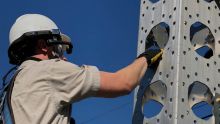 HMT-1 worn with a hard hat.

References
- ↑ 1.0 1.1 "The Evolution of RTACS: a Wearable, Hands-Free Comms System". U.S. Department of Homeland Security, The Siren. 2017. https://www.dhs.gov/sites/default/files/publications/The-Siren-FRG-Newsletter_January-February-External-2017-508.pdf. Retrieved 2026-10-14.
- ↑ 2.0 2.1 "RealWear AR Tablet Ships to Global Partners". Augmented Reality for Enterprise Alliance. 2017-03-23. https://thearea.org/ar-news/realwear-ar-tablet-ships-global-partners/. Retrieved 2026-10-14.
- ↑ 3.0 3.1 "Technology ignites diesel learning". Clark College Foundation. 2018-08-16. https://clarkcollegefoundation.org/technology-ignites-diesel/. Retrieved 2026-10-14.
- ↑ 4.00 4.01 4.02 4.03 4.04 4.05 4.06 4.07 4.08 4.09 4.10 4.11 4.12 4.13 4.14 4.15 4.16 4.17 "HMT-1 Specifications for Model T1100G". RealWear. https://support.realwear.com/knowledge/hmt-1-specifications-for-model-t1100g. Retrieved 2026-10-14.
- ↑ 5.00 5.01 5.02 5.03 5.04 5.05 5.06 5.07 5.08 5.09 5.10 5.11 5.12 5.13 5.14 5.15 5.16 5.17 5.18 5.19 5.20 5.21 5.22 5.23 5.24 5.25 5.26 5.27 5.28 5.29 5.30 5.31 5.32 5.33 5.34 5.35 5.36 5.37 5.38 5.39 5.40 5.41 5.42 5.43 5.44 5.45 5.46 5.47 5.48 5.49 5.50 5.51 5.52 "HMT-1 Specifications for Model T1200G". RealWear. https://support.realwear.com/knowledge/hmt-1-specifications-for-model-t1200g. Retrieved 2026-10-14.
- ↑ 6.00 6.01 6.02 6.03 6.04 6.05 6.06 6.07 6.08 6.09 6.10 "HMT-1 User Guide (English), Version 2, model T1100G". RealWear. 2017. https://realwear.setupmyhmt.com/pdf/HMT1_UG_English.pdf. Retrieved 2026-10-14.
- ↑ 8.0 8.1 8.2 "HMT-1 Datasheet, Version 22.1". RealWear. 2018-07-10. https://realwear.setupmyhmt.com/HMT-1_Datasheet_FINAL_EN_US.pdf. Retrieved 2026-10-14.
- ↑ 9.0 9.1 9.2 "Firmware Release 11.0 Release Notes". RealWear. 2020-02-04. https://support.realwear.com/knowledge/hmt-release-11-support. Retrieved 2026-10-14.
- ↑ 10.0 10.1 10.2 10.3 "Wearing the HMT". RealWear. https://support.realwear.com/knowledge/wearing-the-hmt. Retrieved 2026-10-14.
- ↑ 11.0 11.1 11.2 "Gestures for HMT Interaction". RealWear. https://support.realwear.com/knowledge/gestures-for-hmt-interaction. Retrieved 2026-10-14.
- ↑ 12.0 12.1 12.2 12.3 12.4 12.5 "My Controls (HMT-1 Release 12.5)". RealWear. https://support.realwear.com/knowledge/my-controls. Retrieved 2026-10-14.
- ↑ 13.0 13.1 13.2 13.3 "Firmware Release 12.6 Release notes (HMT-1)". RealWear. https://support.realwear.com/knowledge/firmware-release-12.6-release-notes. Retrieved 2026-10-14.
- ↑ 14.0 14.1 14.2 14.3 14.4 "HMT Voice Interaction and WearHF". RealWear. https://support.realwear.com/knowledge/hmt-voice-interaction-and-wearhf. Retrieved 2026-10-14.
- ↑ 15.0 15.1 15.2 15.3 "RealWear HMT-1 Product Overview". RealWear. https://support.realwear.com/knowledge/realwear-hmt-1-product-overview. Retrieved 2026-10-14.
- ↑ 16.0 16.1 16.2 16.3 "RealWear HMT-1 and HMT-1Z1 End of Security Update support notice". RealWear. https://support.realwear.com/knowledge/realwear-hmt-1-and-hmt-1z1-end-of-security-update-support-notice. Retrieved 2026-10-14.
- ↑ 17.0 17.1 17.2 "RealWear Firmware Update and Support Policy". RealWear. https://support.realwear.com/knowledge/realwear-firmware-update-and-support-policy. Retrieved 2026-10-14.
- ↑ "About RealWear". RealWear. https://www.realwear.com/resources/about-us. Retrieved 2026-10-14.
- ↑ "i.Safe Safety Instructions: HMT-1Z1 model T1100S". RealWear / i.safe MOBILE. https://support.realwear.com/knowledge/i.safe-safety-instructions. Retrieved 2026-10-14.
- ↑ 20.0 20.1 20.2 20.3 "Now Available! Enhanced Video Stabilization and Android 10 in Firmware Release 12". RealWear. 2021-03-25. https://www.realwear.com/blog/now-available-enhanced-video-stabilization-and-android-10-in-firmware-release-12. Retrieved 2026-10-14.
- ↑ "HMT-1 Battery Hot Swap". RealWear. https://support.realwear.com/knowledge/hmt-1-battery-hot-swap. Retrieved 2026-10-14.
- ↑ "HMT-1 Charging Basics". RealWear. https://support.realwear.com/knowledge/hmt-1-charging-basics. Retrieved 2026-10-14.
- ↑ 23.0 23.1 Adithya Baburaj; Ravi Shankar Garimella; Gopi Neelakanta Pillai; Vignesh Eswar; Matthew Krugh; Laine Mears (2019). "Evaluation of Wearable Visual Assistance System for Manual Automotive Assembly". Procedia Manufacturing 39: 141-148. doi:10.1016/j.promfg.2020.01.286. Retrieved 2026-10-14.
- ↑ 24.0 24.1 Sarah Bovenkerk; Anna Mueller; Rolf Rossaint; Michael Czaplik; Andreas Follmann (2025). "Telemedicine via data glasses in CBRN protection suit—Evaluation of medical qualification and technical feasibility". PLOS ONE 20 (5): e0324558. doi:10.1371/journal.pone.0324558. Retrieved 2026-10-14.
- ↑ "HMT-1 Declaration of Conformity - Model T1200G". RealWear. https://support.realwear.com/knowledge/hmt-1-declaration-of-conformity-model-t1200g. Retrieved 2026-10-14.